One line in.One app out.
Describe an app. LoomCode AI writes the project, opens a live preview, and lets you take the code with you.
Up to 7 free generations per day. Quickstart
Built with LoomCode
Explore the prompts, code, and browser checks behind real sandbox runs.
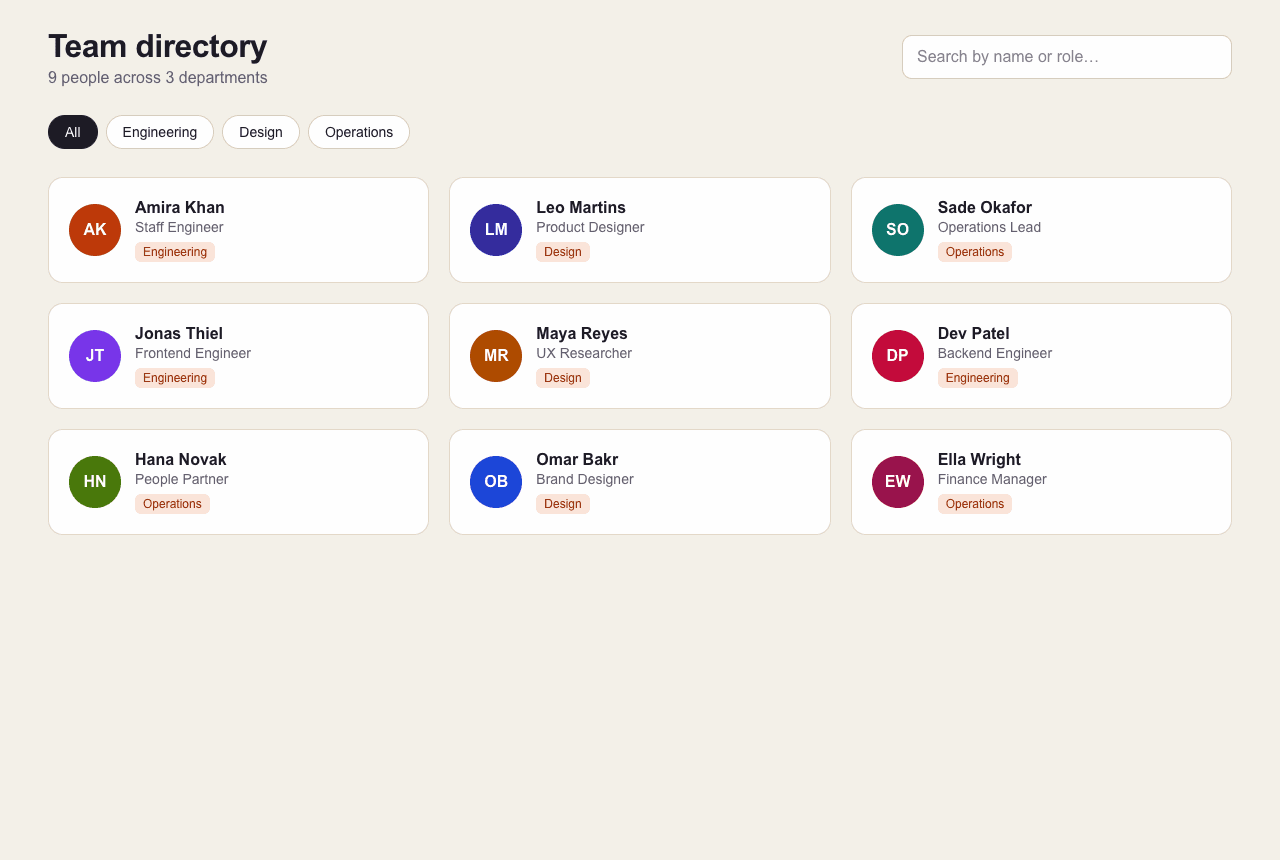
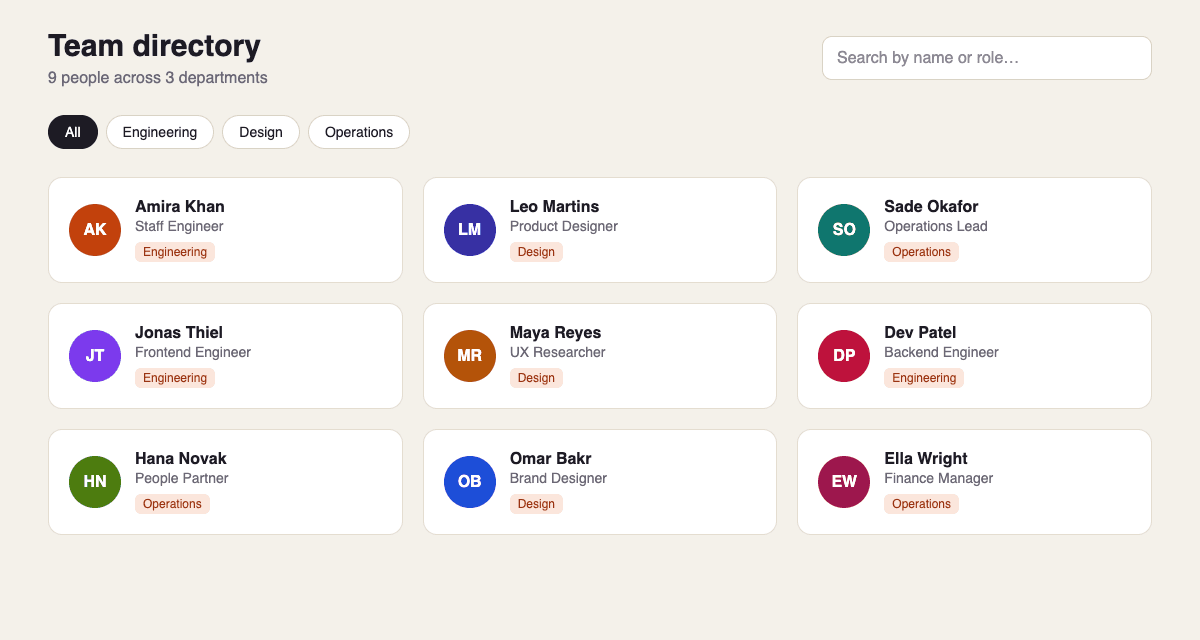
Team directory from a screenshot
Recreated 9 cards from a mockup; search and department tabs filter correctly.
React · 2 files · 28.4s
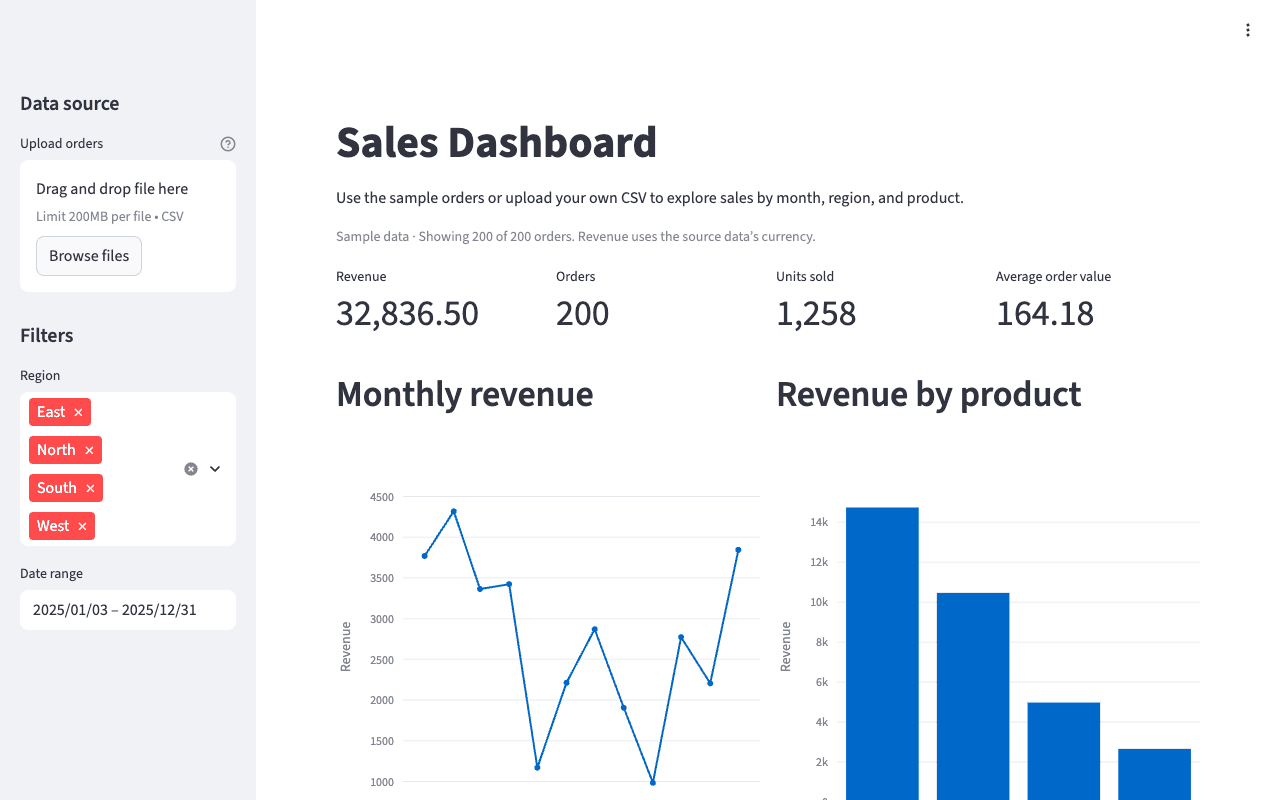
Streamlit sales dashboard
Region filter changed 200 orders to 141; a 3-row CSV upload recalculated revenue to 125.50.
Streamlit · 1 file · 20.7s
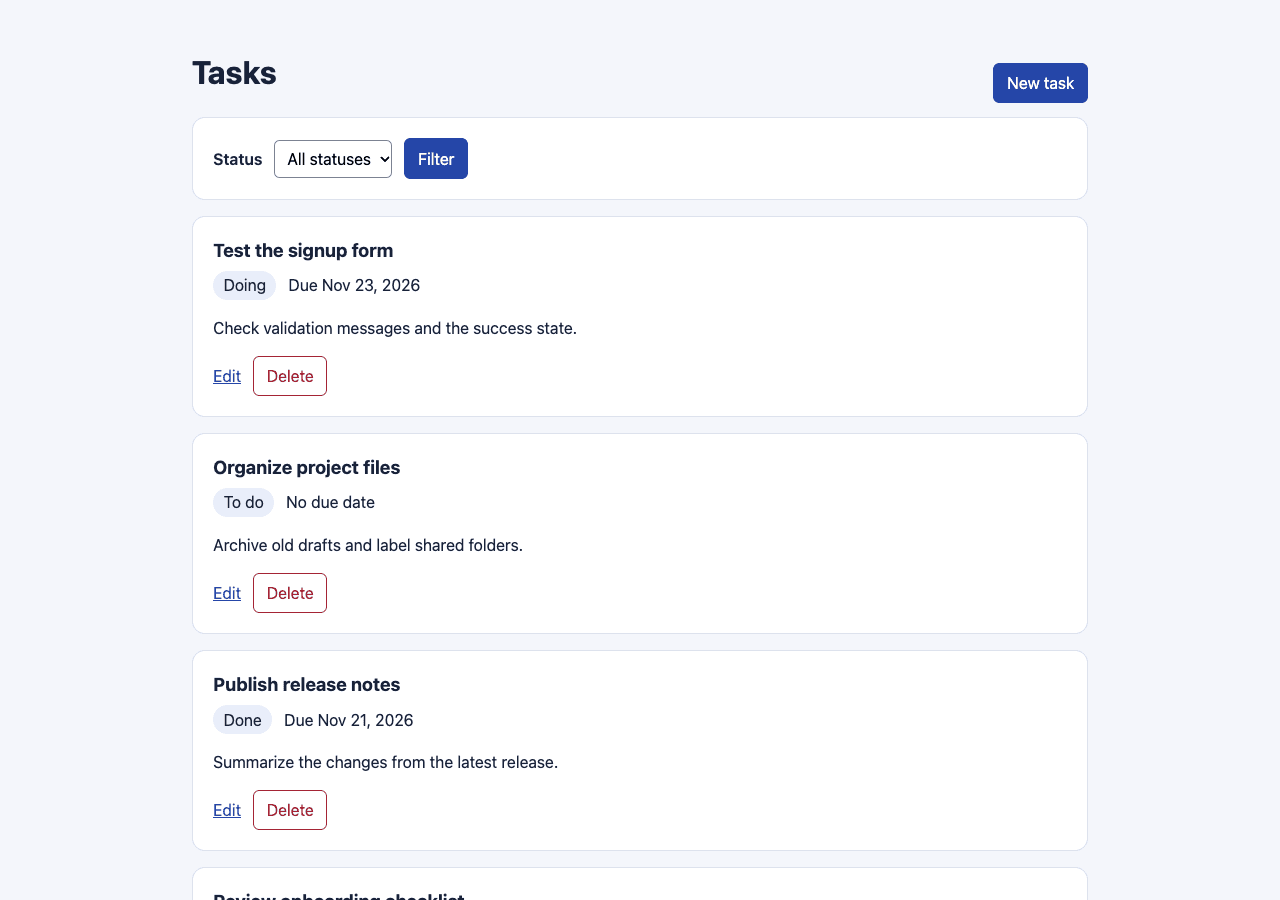
Laravel task manager
Seeded tasks, create, filter, edit, delete and server-side validation all passed.
Laravel · 12 files · 48.4s
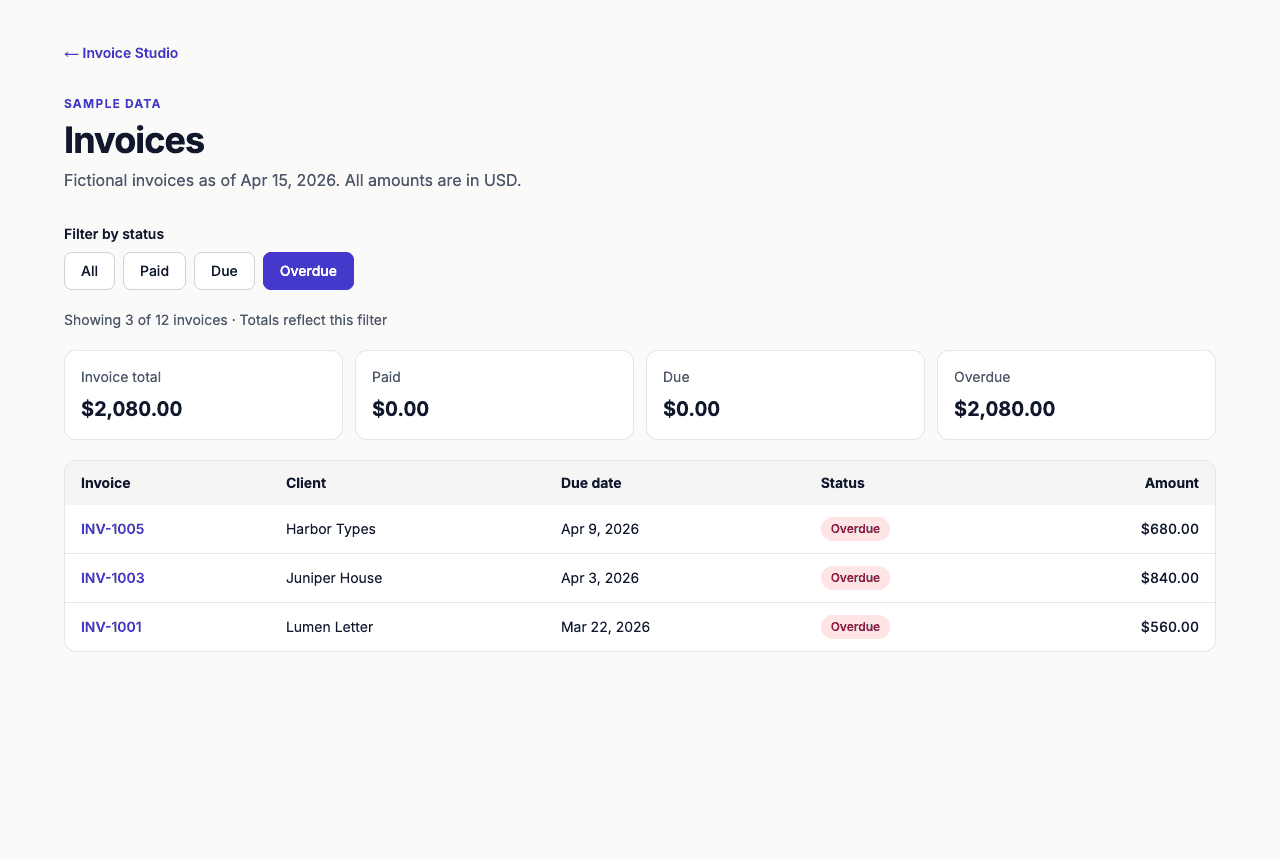
Next.js invoicing prototype
Status filter returned 5 paid, 4 due and 3 overdue of 12; detail page loaded.
Next.js · 6 files · 49.4s
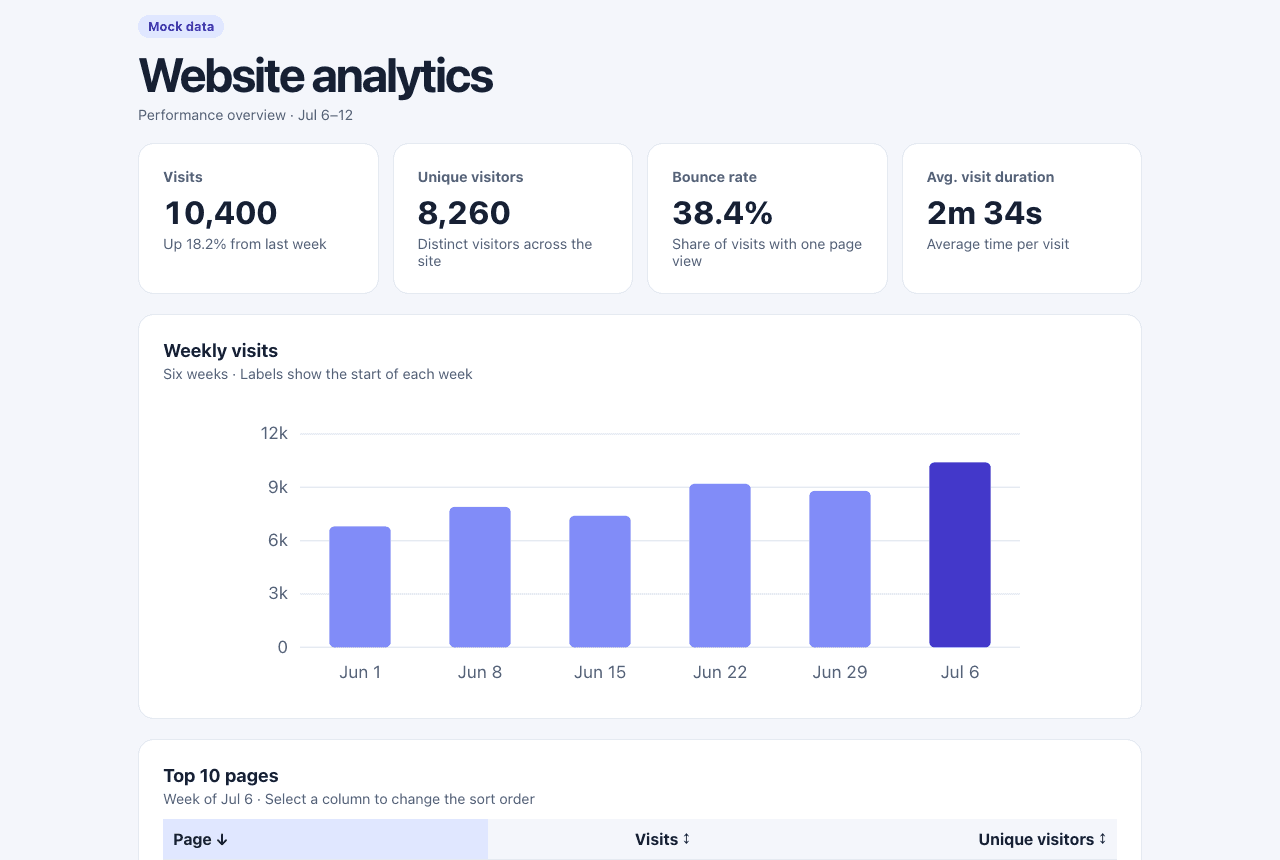
React analytics dashboard
Four KPI cards, a 10-row sortable table and a 6-bar SVG chart; no page errors.
React · 2 files · 32.4s
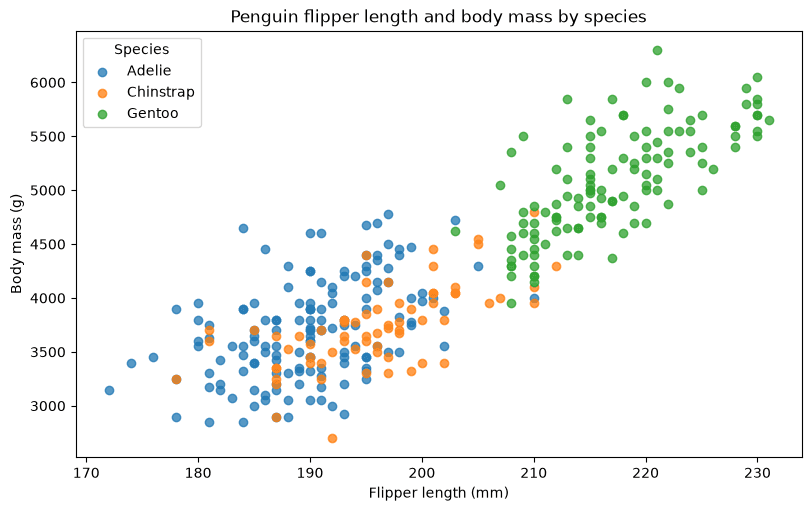
Python data analysis
Printed per-species means and drew the chart; numbers re-checked independently.
Python · 1 file · 8.9s
How it works
From a sentence to something you can click
- 1
Describe
Write what the app does, the data it shows and its screens. Attach a screenshot with a vision model. - 2
Generate
Your chosen model (default GPT-6.2 Sol) returns a multi-file project and its extra dependencies. - 3
Run
LoomCode installs packages and starts the files in an isolated E2B sandbox, then shows a live preview. - 4
Keep it
Iterate with follow-ups, download the files or the full project, or share a link for up to 24 hours.
Frameworks
Eight runtimes, each with real version numbers
Pick a framework or let the model choose. Versions below were read from fresh sandboxes, so you know exactly what your code runs on.
 Python
 Next.js
 React
 Vue.js
 Streamlit
 Gradio
 PHP
 Laravel
Screenshot to app
Have a mockup? Start from the picture.
Paste a screenshot with a vision-capable model and ask for a working version. In our test, a static mockup became a React app with working search and department filters.
Before you rely on it
What LoomCode is — and what it is not
Good for
- Clickable prototypes, internal-tool drafts and data apps you want to try today
- Seeing how a framework solves a problem, with the real files in front of you
- Turning a screenshot or a written spec into a starting codebase
Not built for
- Hosting: previews stop after minutes; share links last at most 24 hours
- Saved projects: nothing is stored server-side, so export what you want to keep
- Production without review: add auth, storage, tests and real hosting first
LoomCode is built on the open-source E2B Fragments project (Apache-2.0). What LoomCode changes.
Common questions
- What does it cost?
- Free accounts include 7 generations per day with OpenAI. Pro includes a larger allowance and additional models. See pricing and limits.
- Where does my code run?
- Your prompt goes to the model provider you pick. The generated files run in an E2B cloud sandbox that stops after about 10 minutes. See security and data.
- Can I keep the code?
- Yes. Download the generated files as a ZIP at any time, or the full project from a running sandbox. Nothing is saved on our side, so download before you close the tab. What each export contains.
- Is the preview a real deployment?
- No. Share links keep a sandbox alive for at most 24 hours. For a permanent URL, export the project and deploy it; the deployment guide covers each framework.
Model and runtime facts checked Nov 22, 2026.
Start with a tested prompt, then make it yours.
Open one of our recorded prompts in the builder, watch it run, and change one thing at a time.